Insights • October 7, 2026
How Modern Applications Handle Secure Authorization
OAuth 2.0 lets an application get limited access to something you own, such as your calendar, contacts, or files, without ever asking for your password.
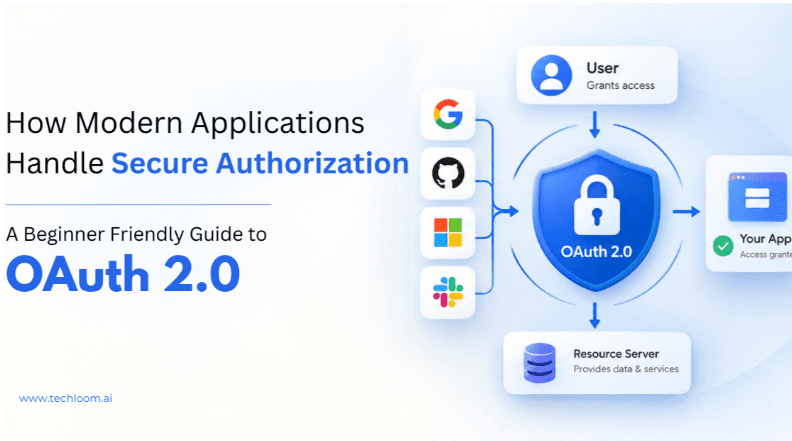
Have you ever landed on a website and noticed buttons like “Continue with Google”, “Sign in with GitHub” or “Connect your Microsoft account”? You click one, a familiar page opens, you approve something, and a few seconds later you’re back in the app, ready to go. It feels almost too easy. So what’s actually happening behind the scenes, and why is it safe?
The answer is a technology called OAuth 2.0. In simple terms, it is a framework that lets an application get limited access to something you own, such as your calendar, your contacts or your files, without ever asking for your password. Instead of handing over your credentials, you give specific permissions, and the application receives a token it can use to access only what you approved.
OAuth 2.0 is everywhere today: web apps, mobile apps, APIs and cloud services all rely on it. In this post, we’ll walk through what it is, why it exists, how the flow works from start to finish, and a few security habits every developer should have.
Logging in is not the same as being allowed in
Before we dive into OAuth, we need to clear up two words that people often mix up: authentication and authorization.
Authentication answers the question “Who are you?” When you type your username and password into an app, it is verifying your identity. Authorization answers a different question: “What are you allowed to do?” Once you’re logged in, an administrator might be able to create and delete users, while a regular user can only view their own profile. Both people proved who they are, but they are allowed to do different things.
This distinction matters because OAuth 2.0 is designed for authorization. It’s true that we associate it with “Login with Google”, but the job of proving who you are is usually handled by an identity layer built on top of OAuth called OpenID Connect. We’ll come back to that later.
Why do we even need OAuth?
Let’s imagine you’re building an app that needs to read a user’s Google Calendar. The most obvious approach would be to show a form that says, “Enter your Google email and password so we can access your calendar.”
It would work, but it would be a terrible idea. Your user would have to trust you with the keys to their entire Google account, even though you only need to read a few events. And you would suddenly be responsible for protecting those passwords. If your database were ever leaked, so would be your users’ Google accounts.
OAuth 2.0 solves this neatly. Instead of asking for the password, your app sends the user to Google. Google verifies who they are and asks a simple question: “Allow this application to view your Google Calendar?” If the user says yes, your app receives permission to access that one thing.
The application never needs to know the user’s Google password.
Meet the four players
Every OAuth conversation involves four roles, and once you can tell them apart, the rest of the topic becomes much easier.
The first is the resource owner, which is usually just you, the user who owns the data. If an app wants to read your Google Calendar, you are the resource owner. The app asking for access is the client, for example a project-management tool that wants to show your meetings. The authorization server is the trusted gatekeeper that verifies the user, handles the permission request and hands out tokens once access has been approved; in our example, that’s Google’s authorization server. Finally, the resource server is where the protected data actually lives. Here, it’s the API that serves your calendar events.
Think of it like a hotel. You are the guest who owns the room, the app is a visitor who wants to come in, the front desk decides whether to issue a key card, and the room itself is the protected resource.
How the flow works, from click to calendar
Let’s follow a single request from start to finish. Suppose your app has a button that says “Connect Google Calendar.”
It all starts when the user clicks that button. Your app doesn’t ask for any credentials. It simply redirects the user to the authorization server. There, if the user isn’t already signed in, they log in directly on the provider’s own website. This is the important part: the password is typed into a page you trust, not into the third-party app.
Next, the authorization server shows the user exactly what the app is asking for, something like “Allow this application to view your calendar events?” The user can approve or reject. If they approve, the server sends them back to the app along with a short-lived, temporary authorization code.
That code isn’t the key to the data yet. The app now sends it to the authorization server’s token endpoint, and if everything checks out, the server responds with an access token. From this point on, whenever the app needs calendar data, it presents the access token to the API. The resource server checks that the token is valid and has the right permissions, and then returns the requested information.
Figure 1: The OAuth 2.0 Authorization Code flow (with PKCE).
Throughout the entire process, the user’s password is never shared with the client application. That one fact is the whole point of OAuth.
Access tokens and refresh tokens
An access token is like a visitor badge. It proves that the holder has been given permission to access certain resources, so instead of sending a password to the API, the app sends the token. The API checks that the token is valid and that it allows the requested action. Because a token is a powerful thing to hold, it should be treated as sensitive information, and it normally expires after a short time.
That brings up an obvious problem. If the access token expires quickly, does the user have to approve the app again and again? Not necessarily. Many setups also issue a refresh token, which the app can use to ask the authorization server for a new access token without sending the user through the whole approval process again. Refresh tokens are even more sensitive than access tokens, so they need to be stored securely. Also keep in mind that not every OAuth implementation provides them; it depends on the authorization server and the application’s configuration.
Scopes: asking for only what you need
When an app asks for access, it doesn’t get the whole account. It asks for specific permissions called scopes. One app might request permission to read your profile, another to read calendar events, another to create events, and another to access certain files.
Scopes are what keep access limited to specific capabilities instead of handing over an account with no boundaries. As a developer, the rule of thumb is simple: request only the permissions your app really needs. This is known as the principle of least privilege, and it protects both your users and you.
Different apps, different flows
Not every application is the same, so OAuth 2.0 offers more than one way to get a token.
The most common one is the Authorization Code flow, which is what we walked through above. It’s used whenever a user is involved, and modern apps typically pair it with PKCE (Proof Key for Code Exchange). PKCE adds an extra layer of protection so that even if an attacker intercepts the authorization code, they can’t use it.
Sometimes, though, there’s no user at all. Imagine one backend service that needs to talk securely to another. In that case, the Client Credentials flow is a better fit: the application authenticates itself and receives an access token for machine-to-machine communication. And when it’s supported, the refresh token flow we discussed earlier lets an app get fresh access tokens without bothering the user again.
OAuth 2.0 and OpenID Connect
Here is one of the most common misunderstandings: OAuth 2.0 is not a login system. It tells a service what an application is allowed to access, but it doesn’t verify who the user is. When an app needs that, it uses OpenID Connect (OIDC), an identity layer built on top of OAuth 2.0.
A simple way to remember it: OAuth 2.0 answers “What can this application access?”, while OpenID Connect answers “Who is this user?”
Figure 2: OpenID Connect adds an identity layer on top of OAuth 2.0.
So when you click “Sign in with Google”, both are usually at work. OpenID Connect provides verified information about who you are, while OAuth 2.0 supplies the underlying authorization framework.
Getting it right: security habits that matter
OAuth makes applications safer, but only if it’s implemented correctly. A few habits make a big difference.
Start with the basics: always use HTTPS so that authorization requests, tokens and API calls are protected in transit. Next, protect your client secrets. They should never appear in frontend code or end up in a public repository; keep them in server-side environment variables or a proper secrets-management system. Where it applies, use PKCE with your authorization code flow to guard against code interception.
Pay attention to the details, too. Validate redirect URIs: the authorization server should only send users back to approved addresses, because a sloppy configuration here can open the door to attacks. Request minimum permissions. If your app only reads calendar events, it has no business asking to modify other parts of a user’s account. And protect your tokens, especially refresh tokens, by keeping them out of URLs, logs and unnecessary client-side storage.
Finally, use the state parameter. In the flows where it applies, it keeps track of the request and, when implemented correctly, helps defend against cross-site request forgery (CSRF) attacks.
Putting it all together
Let’s go back to a real-world scenario. Say you’re building a project-management app, and you want users to see their Google Calendar meetings right inside it. Without OAuth, you’d have to ask for their Google credentials, which is both insecure and a hard sell to your users.
With OAuth 2.0, it goes like this. The user clicks “Connect Google Calendar”, and your app sends them to Google. Google authenticates them and shows the permissions your app is asking for. The user approves, and your app receives an authorization code, which it exchanges for an access token. From then on, it uses that token to request the permitted calendar data through the API.
At no point does your application see or handle the user’s Google password. That’s the real power of OAuth: apps get limited, controlled access without ever handling another service’s credentials.
Why OAuth 2.0 is worth the effort
The benefits go beyond just keeping passwords private. Users stay safer because they never share passwords with third-party apps. Access is limited because scopes restrict what an app can do. Tokens can expire, which reduces the damage if one ever leaks. Users also stay in control, since they can review and revoke an app’s access from their provider’s settings at any time. And for developers, OAuth offers a standardized way to integrate with APIs and external services securely, so you’re not reinventing the wheel for every provider.
Final thoughts
OAuth 2.0 can look intimidating at first, mostly because several participants and steps are involved. But the core idea is simple. The user owns the data, the application asks for permission, the user approves it, the application receives a token, and that token lets it access only what was approved.
Once concepts like access tokens, refresh tokens, scopes, authorization codes, PKCE and OpenID Connect start to click, it becomes clear why OAuth is such an important part of modern web, mobile, API and cloud development. The next time you see a “Continue with Google” button, you’ll know exactly what’s going on behind it.